
CRM for Contractors: What a Sales Team Actually Needs
By MetaTechAi ·
A contractor sales team needs a CRM that connects estimate stages, controlled quote follow up, job-level lead source tracking, and the handoff from a signed estimate to a scheduled crew. Test those four workflows with your own estimate template before choosing a platform. A contact list and pipeline view alone do not demonstrate that the office and production team can use the same approved job details.
A roofing, HVAC, plumbing, or solar company should evaluate the whole bid cycle. Consider this hypothetical failure: an estimate sits in "proposal sent" without a next action, an advertising inquiry loses its source, and a sold job must be typed into a scheduling tool again. These are evaluation scenarios, not measured customer results. MetaTech installs AI sales and marketing systems for service businesses with sales teams, so our starting point is the workflow connecting the office and the crew.
What Does a Contractor Sales Team Actually Need From a CRM, From the First Estimate to the Signed Job?
Four things, in order: a pipeline built around how estimates move, follow up with explicit triggers and stop rules, lead source evidence that survives the first phone call, and a handoff that reaches the person scheduling the crew. A general CRM may support these through configuration or connected software. A contractor-specific label does not prove that they work either. Ask the provider to demonstrate the full process using the account features you would actually receive.
Treating "sold" as the finish line leaves an important part of the workflow untested. After signature, scheduling, material ordering, crew assignment and the final walkthrough still need a connection to the approved job details. Decide which system owns each step and what the sales team should be able to see after production accepts the handoff.
What Has to Happen at Each Estimate Stage?
A contractor's pipeline stages should mirror the actual bid process, not a generic "lead, qualified, proposal, won" template copied from a software sales playbook. For most residential contractors, that means stages closer to: lead captured, site visit scheduled, estimate in progress, estimate presented, estimate pending decision, and signed. Each stage needs its own trigger, because a storm-damage roofing lead sitting in "estimate presented" for three days means something different than a kitchen remodel lead sitting there for three weeks.
Two details matter more than the stage names:
- Multiple estimate versions per lead have to stay attached to one record. If you present a base, mid-tier and premium option, test that structure without creating unrelated deals. QuoteIQ describes estimating among its own platform capabilities in its contractor CRM overview. That vendor-authored page is evidence of its stated features, not independent proof of a market standard. Require the revision history and accepted version to remain visible in your trial.
How Should Quote Follow Up Work After the Estimate Goes Out?
Follow up should have a defined trigger, owner and stop condition. QuoteIQ lists email and text automation among its own capabilities in its contractor CRM overview. For your evaluation, ask what starts a sequence, which channels it uses and how a reply reaches a person. A feature listing does not establish that an unanswered estimate, a revision request and an accepted quote receive different treatment.
A proposed test sequence could use a same-day estimate confirmation, a two-day email, a four-day estimator call task and a seven-day check for questions. These are illustrative timing choices, not a proven cadence for every trade. Adapt them to the customer's requested date and communication preferences. Stop or pause the sequence after a reply, acceptance, rejection, opt out or expired estimate so the customer is not asked to approve outdated terms.
If estimators text customers from personal phones, check whether those conversations are available to the assigned office user. Our sister guide to iMessage for home service companies discusses business texting workflows. Beam supports iMessage, RCS and SMS, but require a demonstration of the specific CRM connection and job association you need. A supported messaging channel alone does not prove that every message appears on the correct job record.
How Should a Contractor CRM Track Lead Source, Down to the Job?
Lead source tracking should connect the original inquiry to the job outcome. A field that captures only "referral" or "Facebook ad" cannot explain results unless you can associate it with signed, lost and still-open estimates. In a hypothetical comparison, an ad campaign might produce many inquiries while a referral partner produces fewer inquiries that turn into jobs. Lead counts show volume; outcome records reveal what happened next. Neither alone proves why the customer chose you.
Check source evidence at intake and again at won or lost, without overwriting the original acquisition history. Keep the source of a returning customer's new job separate from how that customer first found you. This supports outcome reporting, but calculating return on spend also requires reliable spending and revenue data. Our guide to lead source tracking for service-business CRMs explains the fields and preservation rules to test.
For a multi-trade or multi-crew contractor, track the relevant division as well as the acquisition channel. A roofing company handling insurance-restoration and retail replacement work can define separate routing and follow up rules where those processes differ. Keep those rules explicit rather than assuming every inquiry from the same channel belongs in the same queue.
What Does the Handoff From Sales to the Job Actually Require?
The handoff from "signed" to "scheduled and built" changes responsibility from sales to production. Treat that transition as a required acceptance check. If the handoff is only verbal, the production user may not receive the approved estimate, material specifications, access notes or promised start window. Test their access directly rather than relying on the salesperson's view of the record.
A clean handoff needs four things attached to the job record before it leaves the sales stage: the final signed estimate or contract, the material list the estimate was based on, any site access notes from the original visit, and the agreed start window the customer was told. We treat this as a formal handoff checklist in our guide to approved service quote to sales operations handoff, which applies directly to a contractor moving a signed estimate into a scheduled job.
Use this handoff trace in the trial: estimate signed, checklist completed, production accepts the record, scheduling confirmed, crew and materials assigned, then completion evidence attached. Keep the scheduling confirmation distinct from a salesperson's proposed start window. Have the production user reject an incomplete handoff and confirm that the assigned salesperson receives a clear correction task.
Job costing connects the estimate to actual labor and materials. QuoteIQ lists job costing among its features in its contractor CRM overview. Determine whether your CRM stores those figures or retrieves them from job-management software. Require a shared job identifier and a visible update status. A deal marked won is not evidence that its eventual costs are available or that an accounting connection has completed successfully.
How Should Contractor Requirements Compare With a General CRM Setup?
| Requirement | Contractor workflow to demonstrate | Gap to check in any CRM setup |
|---|---|---|
| Estimate stages | Options and revisions attached to one opportunity, with a stage owner | Revised estimate creates an unrelated deal or hides earlier terms |
| Quote follow up | Triggered outreach with reply and acceptance stop rules | Manual reminders only, or sends continuing after a reply |
| Lead source tracking | Original evidence retained through won or lost, by job and division | Contact source overwrites the source of a later job |
| Job handoff | Signed estimate, specs, access notes and start window reach production | Closed deal remains accessible only to the salesperson |
| Job costing | Actual labor and materials can be compared with the estimate | Job costs live elsewhere without a reliable record connection |
| Crew visibility | Confirmed schedule and crew status connect to the job | Sales cannot distinguish a proposed date from a confirmed assignment |
That table is a planning comparison, not a guarantee about any specific product. Test every row against your own workflow in a trial account before you assume a feature list matches what your estimators and crews will actually do with it.
How Should You Test a CRM Before You Commit a Contractor Sales Team to It?
Run this on any CRM you are evaluating, dedicated contractor platform or general CRM. This is an original test procedure for this article, not a report of a client's measured result.
- Review your last twenty closed estimates, won and lost, before opening a CRM trial. Write down the stage each one sat in, how many follow up touches it got, and how long it took from estimate sent to decision. This is your baseline, not the CRM's.
- Build your real pipeline stages in a trial account, not a vendor template. If your estimate process includes a site visit before pricing, that needs its own stage. Do not collapse steps to make setup faster.
- Load an approved sample price book or estimate template, including a base, mid-tier, and premium option if you present estimates that way, and generate a sample estimate from it. If the CRM cannot represent your actual pricing structure, no other feature on the list matters.
- Turn on the follow up sequence and send a synthetic test estimate to an email and phone your team controls. Time exactly when each follow up touch arrives. If a text or email sequence fires late, arrives out of order, or does not fire at all, that is a defect, not a configuration detail to fix later.
- Mark a test estimate as won, then try to hand it off to a second "production" user or view inside the same account. Check whether the signed estimate, the specs, and the site notes travel with it, or whether someone would have to re-enter them.
- Run a lost-estimate scenario and confirm the lead source field is still visible and reportable after the loss. If losing a deal also loses the ability to report on where that lead came from, your source tracking is not real tracking.
- Pull one job-costing or crew-scheduling report from the trial account that answers a real question your office manager asked last month. If the answer requires exporting to a spreadsheet, note that as the actual cost of ownership, not a minor inconvenience.
Keep customer sends disabled during the rehearsal and use synthetic identities in the trial account. Review historical estimates in your authorized system, then recreate only the fields needed for each test. Twenty is a proposed audit sample, not a statistical threshold. Record expected behavior, actual results, the evidence location and an owner for every unresolved defect. Repeat the follow up test after a reply and an acceptance to confirm that pending messages stop.
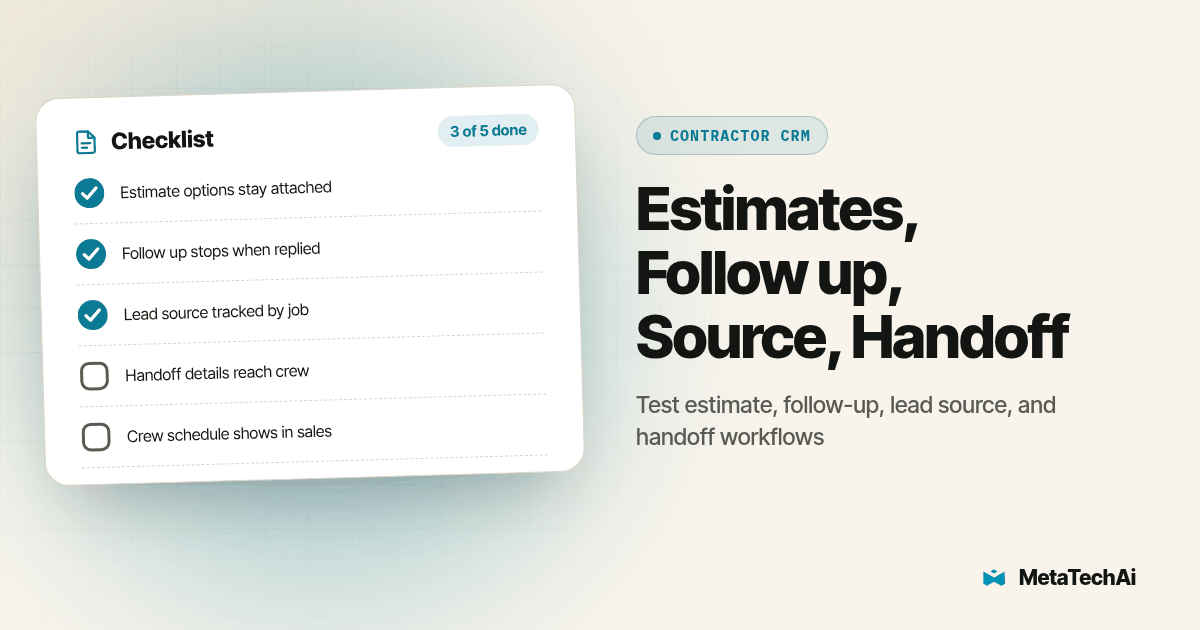
Copy this checklist into your own notes before you start a CRM trial:
- Last twenty closed estimates pulled and baseline follow up timing recorded
- Real pipeline stages built, matching your actual bid process, not a vendor template
- One real price book or estimate template loaded, with tiered pricing if you use it
- Follow up sequence timed against a test estimate sent to yourself
- Signed test estimate handed off to a second user with specs and site notes intact
- Lost-estimate lead source field confirmed reportable after the loss
- One real job-costing or scheduling question answered without a spreadsheet
- One named administrator assigned before the sales team switches over
What Do Buyers Ask About CRMs for Contractors?
Does a CRM for contractors cost more than a generic CRM?
Compare scoped proposals for the features and users your team needs. Ask whether estimating, scheduling, job costing, communication usage and connected apps are included. Neither a contractor label nor a general CRM label establishes the total cost. Include implementation, migration and ongoing administration when comparing the proposed setups.
How long does it take to set up a CRM for a contractor sales team?
There is no universal setup timeline. Map the work first: estimate templates, pipeline stages, permissions, data cleanup, integrations, training and acceptance testing. Assign an owner to each task. Rehearse open bids and production handoffs before deciding when the old system can be retired.
Does a contractor CRM need to integrate with estimating and invoicing software, or should it replace them?
Either model can work, but choose deliberately. An integrated platform can keep more steps in one account, while connected tools can preserve an existing estimating or invoicing workflow. Test the accepted estimate, job identifier, update direction and failure handling in either setup. Require exportable records before committing.
Does a contractor CRM help with warranty documentation and job sign off?
Require a demonstration that signed estimates, change orders and completion photos can be stored or reliably linked to the job record. Those records support retrieval; they do not define the warranty policy. Assign responsibility for uploading and reviewing completion evidence before marking the job complete.
What does switching CRMs cost a contractor sales team that is already mid-pipeline?
Migration work can include field mapping, attachment transfer, workflow rebuilding, staff training and reconciliation of open bids. Do not assume every record needs manual re-entry or that an export transfers everything. Rehearse representative active jobs, record exceptions and keep the old system available until the required history and workflows are verified.
Where Should You Start?
Start with the twenty-estimate audit from step one above, before you book a single demo. That audit shows where your pipeline loses time: slow follow up, a lead source field nobody revisits, or a handoff that depends on a sticky note. Our guides to pipeline stages for service sales, lead source tracking, and the quote-to-job handoff each cover one of those gaps in more depth than a single article can. Once the CRM matches your real estimate-to-job process, we map the workflow and add the AI layer on top of it in our AI infrastructure planning for service businesses, with a guarantee that conversions go up or the client does not pay.