
Should AI Chase Renewals Like New Leads?
By James Hill, MetaTechAi ·
A renewal or repeat-service window is not a new lead. Keep new-lead response measured in minutes, but give renewals a defined advance window, separate stop triggers and a human escalation rule for accounts with unresolved issues.
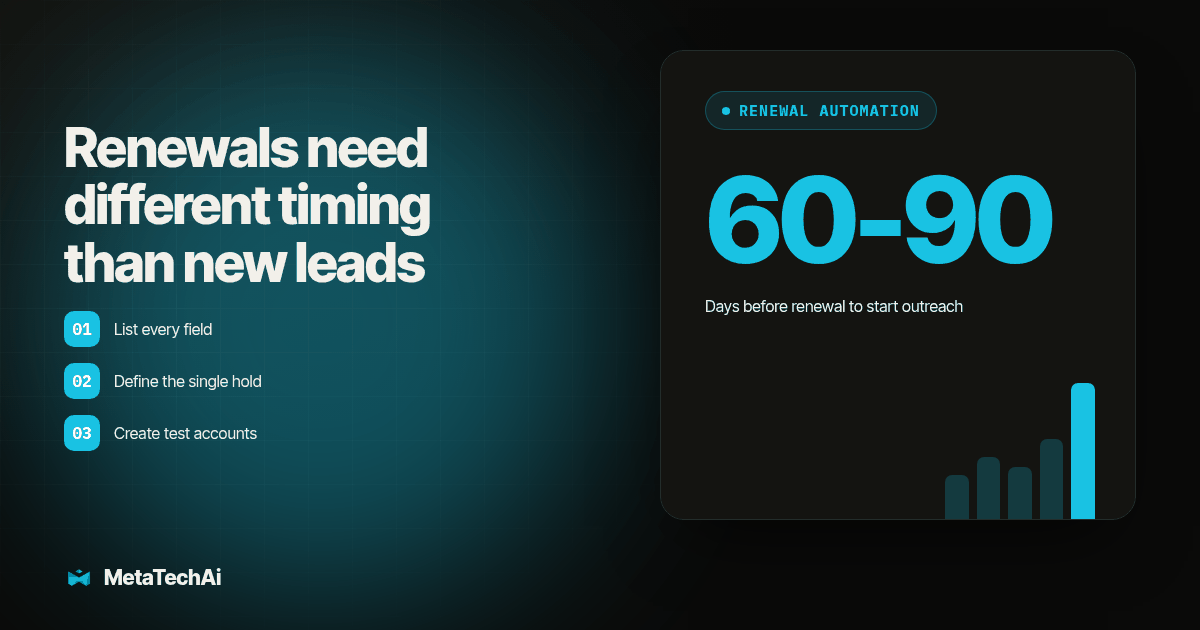
TL;DR: A renewal or repeat-service window is not a new lead, and an AI sales system should not treat it like one. New leads need speed to lead measured in minutes; renewals need a steady, defined first-touch window (we use 60 to 90 days out) and their own stop triggers. The one rule that matters most: an account with an open complaint, claim or unpaid invoice goes to a person before any automated renewal touch, never after.
We install AI sales and marketing systems for service businesses with sales teams. New leads and renewals buy on different clocks, carry different risks, and fail in different ways when one cadence treats them alike.
Why Do New Leads and Renewals Need Different Cadences?
A new lead has no relationship with your business yet. Every minute that passes before the first response is a minute a competitor can take the deal, which is why speed to lead has to be measured from the original inquiry, not from when an auto-reply fires. The lead has nothing invested in you, so urgency does the work.
A renewal or repeat-service customer is the opposite case. They already have a signed agreement, a job history, and in most cases a person on your team they have talked to before. Chasing that account with the same five-minute urgency built for a cold inquiry does not speed up a decision that is not actually urgent yet; it just makes a paying customer feel like a stranger. OpusFlow describes renewal tracking as a way to centralize billing and signature dates, then alert account managers early enough to prepare and contact the customer (OpusFlow, Sep 29, 2026).
RMDialer recommends using automation for the first reminder while a person handles terms, price and changes (RMDialer, updated Oct 29, 2026). That is the core difference worth building into any AI sales system: automation owns the reminder, a person owns the negotiation, and the two cadences run on different timing because they are solving different problems.
What Cadence Should a Renewal Follow-Up Use?
Set a renewal cadence as a fixed window before the service or contract lapses, not as a copy of your new-lead sequence with the day count changed. For an annual service contract or membership, a 60- to 90-day first-touch window before expiration gives a rep time to prepare pricing and gives the customer time to budget, without either side feeling rushed. For a shorter repeat-service cycle (quarterly pest control, seasonal HVAC maintenance, a recurring inspection), scale the window down to match how far in advance that customer actually plans, rather than keeping the 60- to 90-day default for every service line.
RMDialer's public "30-7-1 ladder" uses an automated reminder 30 days out, a human call about terms a week before, then an automated payment reminder near the due date (RMDialer). Adapt the timing to your service cycle, while keeping the terms conversation with a person.
Build the stop triggers for this cadence the same deliberate way you would for new-lead follow-up. Our stop-rule framework for automated lead cadences separates cadence length from the events that must end a cadence immediately, and renewal cadences need the same separation: a reply, a booked renewal call, a rep who already made contact, a customer who declined, and a bad contact number should all end the renewal cadence on their own, the same way they end a new-lead cadence. What changes is the window length and the one additional trigger below.
When Must a Renewal Touch Go to a Person Instead of AI?
This is the rule that matters most, and it is the one most AI sales builds skip. An account with any of the following open should never receive an automated renewal touch; it goes to a person first, every time, before the system sends anything about renewing:
An open complaint, unresolved insurance claim or warranty dispute, bounced or overdue payment, or incomplete job means there is an open loop. An automated "time to renew" message may sound as if the business has not noticed. RMDialer describes keeping a lapsed account in a due list until it is resolved, which depends on the system recognizing unresolved accounts before it sells them something new (RMDialer).
The CRM evidence this escalation rule depends on is the same evidence your pipeline stages should already require. Our pipeline-stage framework sets the standard that a stage move needs a dated source record, not an optimistic summary; the same logic applies here. A renewal cadence should check a defined field, not a rep's memory, for open complaints, claims and unpaid balances before it sends the first automated touch, and that field needs a timestamp and an owner the same way a pipeline-stage move does.
How Does a New-Lead Cadence Compare to a Renewal Cadence?
| Rule | New-lead cadence | Renewal / repeat-service cadence |
|---|---|---|
| First-touch timing | Minutes, measured from the original inquiry | A fixed window before expiration, commonly 60 to 90 days for an annual contract |
| Who sends the first touch | Automated system, with a rep alerted immediately | Automated reminder; a person still owns the terms conversation mid-window |
| Primary job of automation | Create urgency before a competitor responds | Hold a dated event on the calendar so nothing slips past a human |
| Stop triggers | Reply, booking, rep contact, lost mark, stop request, bad number | Same six triggers, plus one more: any open complaint, claim or unpaid balance holds the cadence before it starts |
| Risk of getting it wrong | A slow reply loses the deal to a competitor | A tone-deaf reminder to an unhappy or unpaid account damages a relationship that already exists |
| Who should own the escalation | A sales rep working the pipeline | An account manager or service coordinator who can resolve the open item |
Diagram: a two-lane flowchart. The left lane, labeled "New lead," shows a stopwatch icon running straight from "inquiry" to "automated response" in minutes. The right lane, labeled "Renewal window," shows a calendar strip counting down from day 90 to day 0, with a branch point near the top of the lane where a red flag icon ("open complaint, claim or unpaid invoice") diverts the flow to a person icon before it ever reaches the automated renewal touch.
What Procedure Should You Run to Build This Escalation Rule?
Run this before a renewal cadence touches a real account list, the same way you would acceptance-test a new-lead cadence before launch.
- List every field in your CRM that could indicate an open complaint, claim or payment issue. Pull the actual field names: a complaint ticket status, a claim status, an invoice aging field, a job-complete flag. Write down where each one lives today, because "we would know if a customer was unhappy" is not a field the renewal cadence can check.
- Define the single hold condition that combines those fields. Decide, in writing, which statuses on which fields should hold the cadence: an open ticket, a claim in any status other than closed, an invoice more than a set number of days past due, a job not yet marked complete. This becomes the one rule the automated system checks before the first renewal touch sends.
- Create test accounts for each hold condition. Build one test account with an open complaint, one with an unresolved claim, one with a past-due invoice, and one with an incomplete job. Mark them clearly as test data.
- Run the renewal cadence against the test accounts and confirm every one holds. None of the four should receive the automated first touch. If any one of them does, the field mapping from step one is wrong, not the cadence logic.
- Create a fifth, clean test account with none of the hold conditions and confirm it proceeds normally. The cadence should fire for this account on schedule, proving the hold logic blocks only accounts that need it and does not stall the whole renewal list.
- Route every held account to a named person, not a queue nobody owns. Each hold condition should land on a specific account manager or service coordinator's task list with the reason attached, so the open item gets worked, not just parked.
- Enable the cadence for a limited renewal segment first, then expand it. Start with one service line or one month's worth of upcoming renewals, confirm the hold logic worked correctly on live accounts, and only then roll it out to the full renewal list.
How Does MetaTechAi Help Build the Renewal Escalation Rule?
We build this inside the same engagement that sets up new-lead follow-up, not as a separate project. Our AI infrastructure planning work maps the CRM fields that already exist for complaints, claims and invoice status before we write a single renewal rule, because the escalation logic only works if it checks real fields your team already updates. From there, managed services covers building both cadences, wiring the hold conditions, and tuning the renewal window to match how far in advance each of your service lines actually plans. The engagement is covered by MetaTechAi's conversion guarantee: conversions go up, or you do not pay.
Bring your current renewal list, however rough, and the fields your team already uses to flag an unhappy account. That gives the engagement something concrete to map the hold conditions against, instead of a general request to "automate renewals."
What Should You Check Each Month?
Sample a handful of accounts whose renewal cadence fired in the past 30 days and confirm none of them had an open complaint, claim or unpaid balance at send time. If one did, trace which field was supposed to catch it and fix the mapping, not just that one account.
Also check the accounts that were held. Confirm each one actually got worked by the person it was routed to, and that it either resolved and re-entered the renewal cadence or is still sitting in a tracked, owned state. A hold rule that stops the automated touch but leaves the account with no owner has only moved the risk, not removed it.
What Are the Common Questions About Renewal Follow-Up?
Does a renewal cadence replace our speed-to-lead rules for new inquiries?
No. They are two separate cadences with two separate clocks. A new inquiry still needs a reply inside minutes. A renewal window still needs its own first-touch timing, its own stop triggers, and its own escalation rule, running in parallel with new-lead speed to lead rather than inside it.
How fast does a renewal first touch need to go out?
Not in minutes. A renewal reminder going out a day or two early or late rarely costs the deal, because the customer already has a relationship and a service history with you. Set a defined window, such as 60 to 90 days before an annual contract lapses, and hold it consistently instead of copying the new-lead speed standard onto an account that already trusts you.
What counts as an account that should go to a person before any renewal touch?
An open complaint, an unresolved claim, a disputed invoice, a payment that bounced or went to collections, or a job that has not been marked complete. Any one of those should hold the automated renewal cadence and route the account to a person before the system sends anything about renewing.
Do we need to rebuild our CRM to run two different cadences?
No. Most CRMs that already separate lead stages from customer stages can hold a second cadence definition and a second set of stop triggers without new infrastructure. The work is mapping which fields flag an open complaint, claim or payment issue, then wiring that flag to hold the renewal cadence before launch.
Where Should You Start?
Pull your renewal list for the next 90 days and sort it against the four hold conditions above before you touch cadence timing at all. Any account that lands on an open complaint, claim or unpaid balance gets a person's attention this week, not an automated reminder next month. For the channel side of a renewal reminder once the escalation rule is in place, this piece on scheduling repeat-service and maintenance reminders over iMessage covers the texting workflow that a renewal cadence like this one sends through.