
How to Scale Seminar Marketing Without More Live Events
By MetaTechAi ·
Record your highest-converting live seminar once, turn it into an always-on session people can register for any day of the week, and let AI handle the reminders and follow-up that book the one-on-one review meeting. Keep a human responsible for every booked call and measure the resulting conversions. You don't need to run more live events to meet demand, you need a second channel that runs without you.
The real buyer question supplied for this guide came from a service business owner whose live seminars converted well but did not scale. That call insight identifies the capacity problem behind this article; it is not a claim about market size or typical results. Below is a proposed workflow for turning one recording into a second channel with reminders, bounded AI follow-up and a human review call.
Why do live seminars convert so well but still cap your growth?
A live seminar works because the room has energy, questions get answered in real time, and the close happens while the pitch is still fresh. None of that is a mystery. The problem is capacity, not quality. You can only stand in front of a room so many times a month before travel, prep and the rest of your job eat the calendar.
That is the tension in the supplied call insight: a useful live seminar still depends on the owner's availability. If new prospects must wait for the next date, the calendar can become a bottleneck. If that sounds familiar, the fix isn't holding more live events. It's capturing the one that already works and letting it run on a schedule you don't have to show up for.
Most owners in this spot default to one of two bad options. They either keep grinding out live dates until they burn out, or they record a seminar once and let it sit as a static video nobody follows up on. Neither moves the needle. The recording by itself is not a system, it's a file. What makes it a channel is the registration flow, the reminders and the follow-up wrapped around it, plus a defined job for AI and a defined job for a human.
What should you check before you record the seminar one more time?
Don't record from scratch. Pull your attendance and booking numbers from the last several live sessions and find the one that actually turned the most attendees into booked calls, not the one you personally liked giving. Check three things before you hit record again:
First, does the content still match what you're selling today? A seminar built around an offer you've since changed will confuse new attendees and waste the recording. Update the offer section before you commit it to tape.
Second, is the live Q&A section carrying real sales weight? If most of your strongest objection handling happens in the open floor discussion, you'll need to fold that material into the main presentation, because an always-on session can't take live questions from a crowd.
Third, who is the intended next step after this session? If the answer used to be "book a call with me personally," you need a different next step for the automated version, which is the one-on-one review meeting below, not a straight sales pitch at the end of the recording.
How do you turn one live seminar into an always-on session?
This is the part most owners skip steps on, so follow the order below rather than jumping straight to "just record it and post it."
- Pick the single highest-converting recording, not your favorite one. Use attendance-to-booking ratio from your last four to six live sessions if you have the data, or ask the reps who were in the room which version got the strongest reaction.
- Re-record or re-edit the offer and next-step section so it matches what you sell right now and ends with a clear invitation to book the one-on-one review instead of a live-only pitch.
- Test 30 to 45 minutes of content as a starting point. Evergreen webinar guides built around this exact format recommend that runtime for a pre-recorded session that has to hold attention without a live presenter in the room (Deadline Funnel, evergreen webinar guide).
- Build a simple registration page with one promise in the headline and one time commitment, so a visitor knows exactly what they're signing up for before they give an email or phone number.
- Set the reminder sequence to go out 24 hours before, 1 hour before and 15 minutes before the session, an example cadence described in the vendor guide, not a guaranteed attendance formula (EverWebinar, automated webinar funnel guide).
- Write the post-session follow-up track separately from the reminder track. People may need more information after the session, so the follow-up emails and texts need their own objection-handling and replay-link content rather than reusing the reminder copy.
- Route eligible attendees who finish the recording into the AI follow-up step described next, instead of ending the funnel at "thanks for watching."
Do these in order. Skipping straight to step 5 without fixing the offer in step 2 can leave attendees with an outdated offer even when the reminder system works.
Workflow: Recording, registration, reminders, recorded session, follow-up, booked review call, named human owner.
Which session format fits the way your buyers attend?
Choose the format before wiring reminders. A scheduled recording has an airtime; an on-demand recording starts when the viewer is ready. Label either as recorded so nobody expects an available live presenter. The comparison below is a planning aid, not a conversion ranking.
| Format | Presenter commitment | Reminder approach | Human responsibility |
|---|---|---|---|
| Live seminar | Presenter attends each event | Send reminders tied to the live date | Run the presentation, answer questions and own review calls |
| Scheduled recording | Prepare and maintain the recording | Send only reminders whose times have not passed | Cover questions through the stated support channel and run booked calls |
| On-demand recording | Prepare and maintain the recording | Confirm access immediately; skip pre-session countdowns | Respond to questions and run booked calls |
For late registrations, skip expired reminder times rather than sending several messages at once. For immediate viewing, use a completion event or an explicit request for a call to start the appropriate follow-up. Test that event in your own hosting tool; elapsed video time alone does not prove someone watched. Keep a separate path for people who leave early.
How does AI follow-up book the one-on-one review meeting?
Once someone finishes the recorded session, the job shifts from "get them to attend" to "get them on a one-on-one call while the content is still fresh." That's where we put AI to work, and it's a narrow job on purpose. The AI's only responsibilities are: detect that the session finished, send the follow-up sequence, answer basic scheduling questions, and book the slot on a real calendar.
We set this up as a short message and email sequence that starts within minutes of the recording ending, not hours later. The first message references something specific from the session (the main problem it solved, not a generic "thanks for watching") and offers the one-on-one review as the next step. If the attendee doesn't respond, a second and third touch go out on a defined schedule, and then the sequence stops. That stop rule matters as much as the first message: an attendee who said no or went quiet should not keep getting touched indefinitely, and a defined cadence with an end point is the difference between helpful follow-up and the kind that gets you marked as spam.
The AI also qualifies lightly before booking. A two or three question flow (business size, timeline, the problem they came to solve) gives the person taking the call context before they dial in, instead of starting cold. None of this requires the AI to pitch, negotiate or close. It only needs to get a real person onto a real person's calendar, which is a much easier job to get right than running the actual sales conversation.
Before any of this goes live, map what the AI is allowed to do and what stays with a person. Our AI infrastructure planning work with service businesses starts exactly there: list the tools you already have, decide what the automation is allowed to touch, and set the human approval points before a single message goes out to a real lead.
Why does a human still need to run every booked call?
Because the one-on-one review meeting is where the close actually happens, and closing is a judgment call, not a script. The AI got someone to show up ready to talk. What happens on that call, reading the room, handling a real objection, adjusting the offer to the person's actual situation, is still a person's job, and it should stay that way.
This is also where we tell clients the truth about what AI should and shouldn't touch in a sales process: AI is good at volume and speed, a person is good at trust and judgment, and swapping those two roles is how pipelines quietly break. For this workflow, keep the review call with a person who can interpret the buyer's situation, resolve uncertainty and take responsibility for the offer. Measure the outcome rather than assuming that more automated meetings mean more sales.
It's also the reason we guarantee outcomes the way we do. We guarantee to increase your conversions, or you don't pay, and we agree on the specific number we're measuring before we install anything. For this seminar workflow, assign a person to the sales conversation and use automation for the agreed follow-up and booking tasks. Document the baseline, measurement window and remedy in the engagement agreement. Our managed services scope covers both halves: the automated follow-up and the ongoing human monitoring that keeps it tuned.
What does the launch checklist look like before you turn this on?
Copy this list and work through it before you send real traffic to the always-on session. Don't skip the owner column, a step with no owner is a step nobody does.
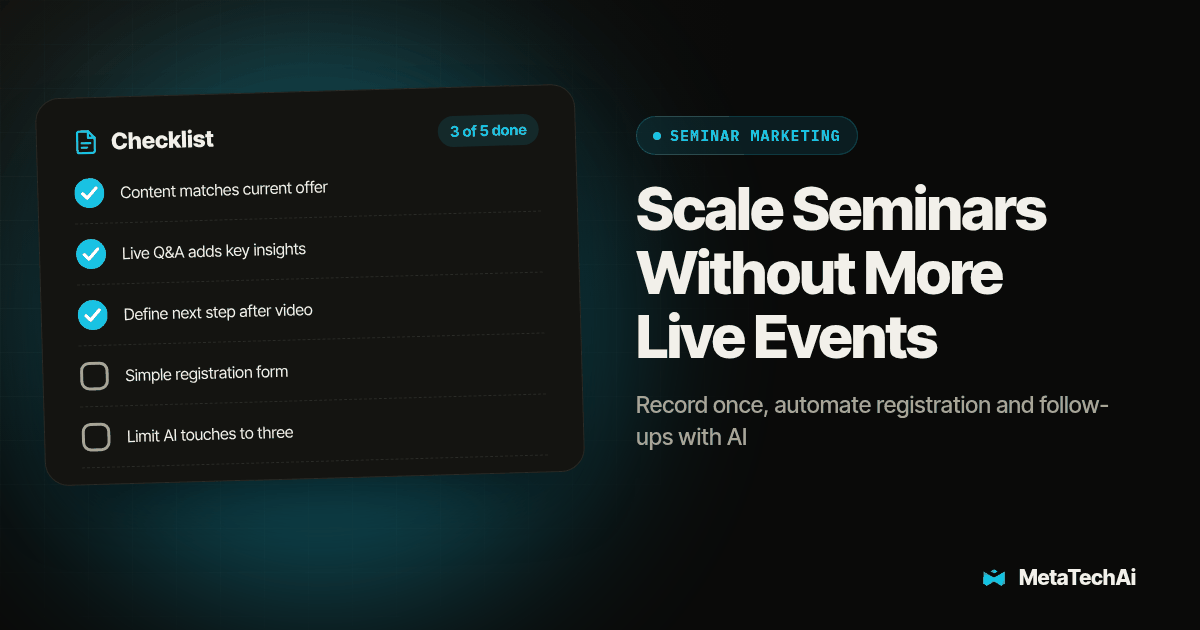
- Confirm the recording's offer and next-step section match your current pricing and positioning.
- Confirm the registration page has one headline promise and asks for only the fields you'll actually use.
- Confirm the reminder sequence is set to the long-lead, short-lead and final-reminder intervals you chose in step 5 above, and test each message by registering yourself.
- Confirm the post-session follow-up sequence is separate from the reminder sequence and references the session content specifically.
- Confirm the AI follow-up has a defined stop rule and a maximum number of touches before it gives up.
- Confirm the booking step lands on a real calendar with a named owner for every slot, not a shared inbox nobody checks.
- Confirm a person is assigned to every booked review call before the first attendee finishes the recording, not after.
- Run one full test registration yourself, start to finish, including the booked call, before inviting a single real lead.
Use test contacts for the ordinary path and exceptions. Register late, leave the video early, book a slot, cancel it and request no further follow-up. Inspect the CRM after each action: the correct owner, session status and next task should be visible. A booking must stop booking requests; a stop request must suppress queued outreach. If a slot loses its owner, pause new bookings until coverage returns. Record expected and actual results, and resolve failed cases before launch.
Only enroll contacts in channels they have agreed to use. Check the team's approved contact rules before enabling messages, and give uncertain replies to a person. A viewing event is a workflow signal, not permission to contact someone through every available channel.
How do you know if the always-on session is actually working?
Track three numbers weekly instead of judging the channel off one slow week. Show rate is the percentage of registrants who actually watch the session, and a low show rate calls for checking reminders, registration expectations and audience fit. Booked rate is the percentage of finishers who book the one-on-one review, and a low number there calls for reviewing the offer, follow-up and whether the audience needs the service. Kept rate is the percentage of booked calls that actually happen, and a low kept rate calls for checking ownership, confirmations, calendar details and the reasons prospects give for cancelling.
Review those three together, not in isolation. Strong viewing with weak booking gives you a place to investigate, not a diagnosis. Strong booking with weak kept calls warrants checking both the handoff and buyer intent. Keep lead source and audience comparable when testing a change, and track closed sales alongside these intermediate rates.
If you run agencies or client accounts rather than one seminar for your own business, the same shift from your personal time to installed systems applies at a bigger scale. Our sister piece on how to scale an agency with AI walks through that order of operations for teams scaling across many clients at once.
What else do people ask about scaling seminar marketing with AI?
Does an always-on recorded session replace live seminars completely?
No. Keep running your highest-converting live seminar on the schedule that still works, and add the recorded session as a second channel that runs between live dates so the pipeline does not sit empty while you wait for the next one.
How long does it take to turn one seminar into an always-on session?
Timing depends on recording quality, tool access and the handoff you need to build. Scope the edit, registration, reminders, booking integration and test work before agreeing on a launch date. A working recording alone does not establish readiness.
Does the AI follow-up replace our sales reps?
No. The AI handles the follow-up messages and books the one-on-one review meeting, and a person still runs every booked call, answers questions and closes.
What happens if someone books a review call and nobody shows up to run it?
Set a stop rule and an owner for every booked slot before launch, the same way you would for any other booked appointment, so a missed call gets rebooked instead of silently dropped.
Do we need new software to make this work, or can we use what we already have?
Start by checking your existing video host, calendar and CRM. Verify registration tracking, attendance events, reminders, booking updates and stop rules through a complete test. Add a tool only for a demonstrated gap; do not assume every existing platform supports the required handoff.
Ready to put this in front of your pipeline?
The hardest part of this whole plan is admitting that the live version of your seminar is already good enough to record and reuse. Everything after that is sequencing: reminders before the session, a specific follow-up after it, an AI that books the review and nothing more, and a person who owns every call that gets booked. Talk to our team about mapping this for your business, and bring your highest-converting seminar recording or a link to the last live session you ran. We'll tell you straight whether it's ready to go always-on or needs one more pass first.