
First Five CRM Automations To Build, In Order
By MetaTechAi ·
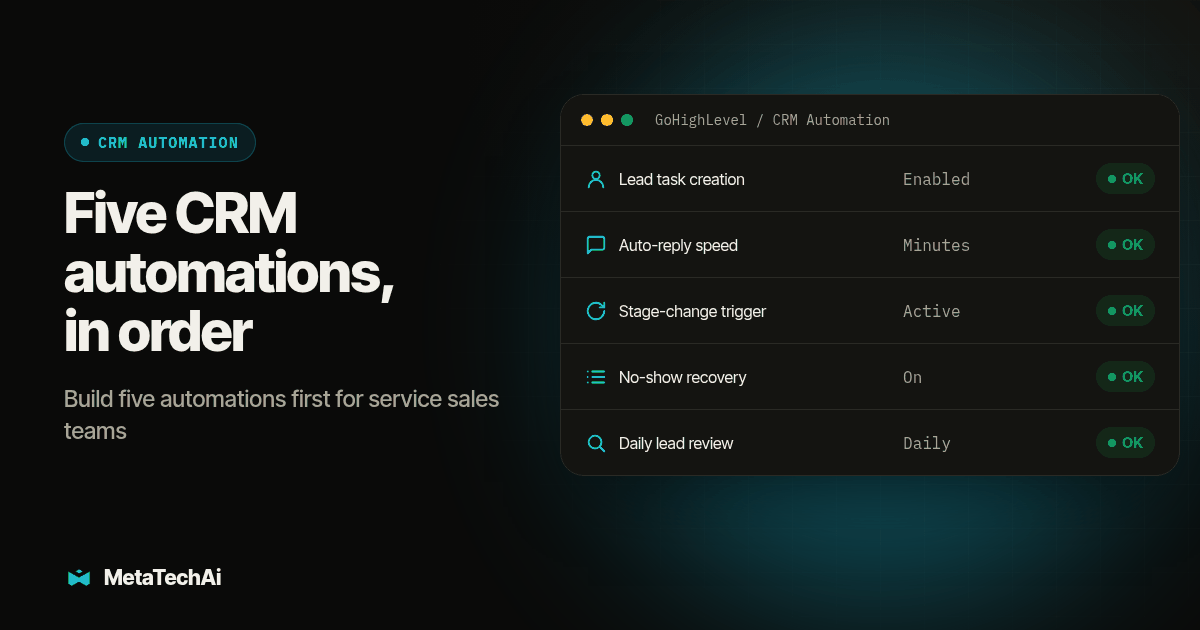
Build these five CRM automations first, in this order: an instant task plus confirmation on every new lead, a speed-to-lead auto-text or email within minutes of form submission, a follow-up trigger on every pipeline stage change, automatic no-show recovery outreach, and a daily report of leads nobody has touched. Skip complex multi-branch sequences and automated review requests until those five run clean.
Consider a service team that already has a CRM, human follow-up and an AI layer. If each starts its own sequence without checking the others, the same lead can receive overlapping touches. This hypothetical example is a sequencing problem: decide who acts next, what starts the clock and what stops a queued message.
Here is a proposed build order: five automations to turn on first, the reasoning behind that order, and the two things worth skipping until those five run clean.
Which five CRM automations should a service sales team build first?
Build in this order, because each one depends on the one before it actually working:
- New-lead instant task plus confirmation. The moment a lead lands in the CRM, it needs an owner and a due time, and the lead needs a message confirming someone got their inquiry.
- Speed-to-lead auto-text or auto-email. A short automated reply goes out within minutes of form submission, while the assigned rep prepares a useful response.
- Pipeline stage-change follow-up. Every stage change starts a clock, and a silent lead past that clock triggers a follow-up event automatically.
- No-show recovery. A missed appointment fires an outreach sequence to get the person rebooked instead of sitting in the pipeline unresolved.
- Untouched-lead report. A daily report lists every lead with no logged action past its due time, so a manager catches a gap without asking anyone to self-report.
What should the new-lead task automation actually do?
Trigger it on one event: a new contact or opportunity created with no prior history. The action should do two things at once, not one. First, create a task with an owner set automatically, by round robin, territory or whatever assignment rule you already run, and a due time measured in hours. Second, when the channel and sending permission allow it, send the lead a short confirmation, by text or email depending on what they used to reach you, so they know someone received their inquiry while the task is still open.
We cover the full build for this piece, including the overdue trigger and the daily report that sits on top of it, in our guide to why sales reps won't follow up with leads. That article is worth running in full before you touch the other four automations here, because an untracked owner on lead one breaks the measurement every other automation on this list depends on.
How fast does a speed-to-lead automation actually need to respond?
Aim to acknowledge a valid inquiry within minutes during permitted sending hours, then track the human response separately. Historical research published in 2011 found that companies were often too slow to respond to online inquiries (Oldroyd, McElheran and Elkington, The Short Life of Online Sales Leads). That supports examining response delays; it does not prove that an automated acknowledgment qualifies a lead or produces the same result as a useful conversation.
The build itself is simple on paper: a form submission or webhook triggers an immediate SMS or email action, worded as a real acknowledgment rather than a generic "thanks," paired with the same owned task from automation one. GoHighLevel's own workflow actions documentation lists the pieces you need for this: a trigger, a messaging action, and an If/Else branch to route after-hours submissions differently from business-hours ones (HighLevel workflow actions, complete list). Keep this message coordinated with automation one: send one acknowledgment, not two. Before any later nudge, recheck for a reply, booking, human takeover or suppression flag.
Note what this automation does not do: it does not define what counts as a fast enough human response, and it does not measure whether your team is actually hitting that target. Those are separate questions we cover in setting a practical inbound lead response target and in measuring lead response time honestly. Build the automation here; use those two to judge whether it is working.
Match the priority to your intake channels. If your unresolved inquiries mostly come from missed calls, a missed-call response may deserve attention before web-form messaging. Check your own source and response records before choosing. The order here assumes form-based inquiries and an existing appointment process; it is a planning sequence, not a requirement imposed by your CRM.
What should trigger a pipeline stage-change follow-up?
Every stage change should write a timestamp, and that timestamp is what a follow-up trigger watches. Set a silence window per stage, measured from the last logged activity, not from the stage change itself, since a stage can change and then go quiet for reasons that have nothing to do with the original trigger. When that window passes with no new activity, the automation should fire a follow-up event: a task for a human touch, an automated nudge, or both depending on the stage.
This is the gap in the hypothetical example above: an AI layer bolted on without an agreed answer for when its follow-up should start relative to the human team's own touches. Build the trigger first, as its own piece, before you decide how many follow-up touches run after it or when they stop. The cadence and stop-rule layer, how many touches, what makes them stop immediately, is a separate decision we cover in when automated lead follow-up should stop. Build the trigger here; tune the cadence there.
Use the documented If/Else and Wait actions as building blocks, and verify the stage fields available in your account (HighLevel workflow actions). Test each stage's branch with a real test record before trusting it on a live pipeline; a branch that silently fails to catch one stage will look like a quiet month, not a broken workflow.
How does a no-show recovery automation get someone rebooked?
Trigger on the appointment status changing to no-show, whether that status gets set manually by a rep or automatically by your calendar tool. The action should fire two things close together: an immediate, apologetic text or email with a direct rebooking link, sent while the missed slot is still fresh in the person's mind, and a task for a human to follow up by phone if the automated rebook attempt gets no response within a set window.
Keep the tone different from a standard reminder. A no-show message is recovering a relationship that just had friction, not confirming a plan still on track; "we missed you, here's a link to grab another time" reads differently from "see you tomorrow at 2." If the appointment type carries real cost when unfilled, route the task to whoever owns that calendar directly, not a general queue.
A no-show leaves calendar capacity unused. Keep recovery visible, but do not assume a missed appointment is easier to recover than a new inquiry. Measure rebooked and attended appointments separately, and stop the recovery sequence when a person rebooks, declines or asks you to stop.
What belongs on the daily untouched-lead report?
Once every lead has an owner and a due time from automation one, and every stage change writes a timestamp from automation three, the report itself is simple: list every lead with no logged action past its due time, sorted oldest first, nothing else. No commentary, no ranking by rep. Our build-order guide for this exact report covers the columns in detail: lead name and source, owner, last logged action, hours past due, and pipeline stage.
Which CRM automations should wait?
Complex multi-branch sequences. A sequence with five or six decision points, different messages for different lead sources, different timing for different territories, different fallbacks for different channels, is tempting to build once instead of five simple automations at a time. The problem is that a multi-branch sequence inherits every weakness in your pipeline stage definitions and your data at once, and a single wrong branch can misfire across hundreds of leads before anyone notices. Get your CRM readiness checked first, specifically the duplicate records, ownership and stage-definition checks, then build the five automations above one at a time. A multi-branch sequence is the automation most likely to quietly run wrong for weeks, because each individual branch looks fine in isolation.
Automated review requests. A review request automation works on a result you have not proven yet. If your speed-to-lead and stage-change automations are not live or not tested, you do not yet know whether the conversion you are asking someone to review actually went well because of your sales process or in spite of a gap in it. Build and confirm the lead-to-booked automations first. Add review requests once you can see, from the untouched-lead report and your stage-change data, that the pipeline behind a closed deal is actually working the way you think it is.
Should you build these automations now or later?
| Automation | Build order | Build now or later | Why |
|---|---|---|---|
| New-lead instant task plus confirmation | 1 | Now | Every other automation depends on leads having an owner and a timestamp |
| Speed-to-lead auto-text or email | 2 | Now | Acknowledges receipt while a rep prepares a useful response |
| Pipeline stage-change follow-up | 3 | Now | Needs the timestamp from automation one to measure silence correctly |
| No-show recovery | 4 | Now | Offers another appointment to someone who previously booked |
| Untouched-lead report | 5 | Now | Only useful once leads have owners and due times to report against |
| Complex multi-branch sequences | Later | Wait | Inherits every weakness in your data and stage definitions at once |
| Automated review requests | Later | Wait | Depends on a conversion result you have not proven yet |
What does a copy-paste build checklist look like?
Paste this into a doc for each automation before you build it, and fill in every row before you turn it on for real leads.
| Field | What to write down |
|---|---|
| Trigger event | The exact event that starts this automation, stated specifically enough that it either fires or it does not |
| Action(s) | What the automation does, in order, when the trigger fires |
| Owner | Who is accountable if this automation misfires or stops firing |
| Test record | A labeled test lead or appointment used to verify the automation before it touches a real contact |
| Go or no-go | Pass or fail on the test record, with the date it was tested |
How do you test the five automations before launch?
Use labeled test contacts and team-controlled destinations. Write the expected outcome before each test and keep real customer outreach disabled until the checks pass.
- Create and replay a lead event. Confirm one owner, one due time and one acknowledgment. Replay the event and verify it does not create duplicate tasks or messages.
- Reply before the next message. Confirm a human takeover or buyer response cancels queued nudges. Test an after-hours inquiry and a suppressed contact separately.
- Move the opportunity and log activity. Verify the silence window resets from the relevant activity, and an old stage cannot send a stale follow-up.
- Mark an appointment as missed, then rebook it. Check the recovery message and owner task, then confirm the new booking stops recovery outreach.
- Leave one task overdue and complete another. Verify the daily report includes the overdue record and excludes the completed action. Save the task IDs, timestamps and pass or fail result.
Fix failed transitions before enabling the next workflow. A successful message delivery alone is not a passed test if ownership, suppression or reporting is wrong.
What if the text or email in automation two doesn't get a reply?
Build a fallback into the speed-to-lead automation itself: if the automated message goes unanswered past a short window, the next action should not be a second, near-identical text. For leads worth a live conversation, that is where an outbound call layer earns its place, routed through the same CRM record so the attempt and its outcome log back to the lead you already own. RizzDial's GoHighLevel integration provides a direct connection for the calling layer. Test that your configuration records each attempt and outcome on the intended contact before relying on a combined activity history.
Where do you start this week?
Start with automation one, even if your CRM already does some version of it badly. Confirm the owner and due time fire correctly on a real test lead before you touch automation two, and resist the pull to launch all five automations in a single sprint. A broken trigger on automation three is far easier to find and fix when automation four is not also live and depending on it.
Our AI infrastructure planning work maps which of these five your current tools already support, which need configuration, and where a human approval point belongs in each one before anything goes live on real leads. For the ongoing build, testing and tuning once the first automations are running, our managed AI services team configures calling, follow-up, booking and CRM automation under the standing guarantee that conversions go up or you do not pay for the work.
What do service sales teams ask about building CRM automations?
If we can only build one CRM automation this month, which one should it be?
The new-lead instant task. Every other automation on this list assumes a lead already has an owner and a due time the moment it arrives, and none of them fix a lead that nobody was ever assigned to work.
Will these five automations work in GoHighLevel, or do we need a different CRM?
GoHighLevel's own workflow builder supports the pieces these five automations need: task creation, SMS and email actions, If/Else branching, Wait Steps and webhooks. A different CRM may support the same build through its own workflow tool or an integration, but check the specific actions available before assuming compatibility.
How long does it take to build all five?
Setup time depends on reliable events, access permissions and the integrations needed. Build and test one automation at a time in the order above. Estimate the next build after the previous workflow passes its trigger, ownership, suppression and reporting checks.
Do speed-to-lead texts and stage-change follow-ups create TCPA or consent risk?
They can. Have the person responsible for compliance confirm the applicable consent, sending-time and opt-out requirements before enabling outbound messages. Keep suppression checks in every workflow and route uncertain records for human review before sending.
Should automated review requests be one of our first five?
No. A review request automation works on a result you have not proven yet with the other five live. Build and test the lead-to-booked automations first, confirm conversions actually moved, then add review requests once the pipeline behind them is stable.