
Why Your Sales Team's AI Emails Land in Spam
By MetaTechAi ·
If your sales team's AI-drafted emails land in spam, check authentication, sending behavior and recipient response before blaming the writing tool. AI can make a weak outbound process run faster, but changing the prompt alone will not repair that process. Start with real message headers, a controlled sending test and a human review step, then increase activity only when the evidence supports it.
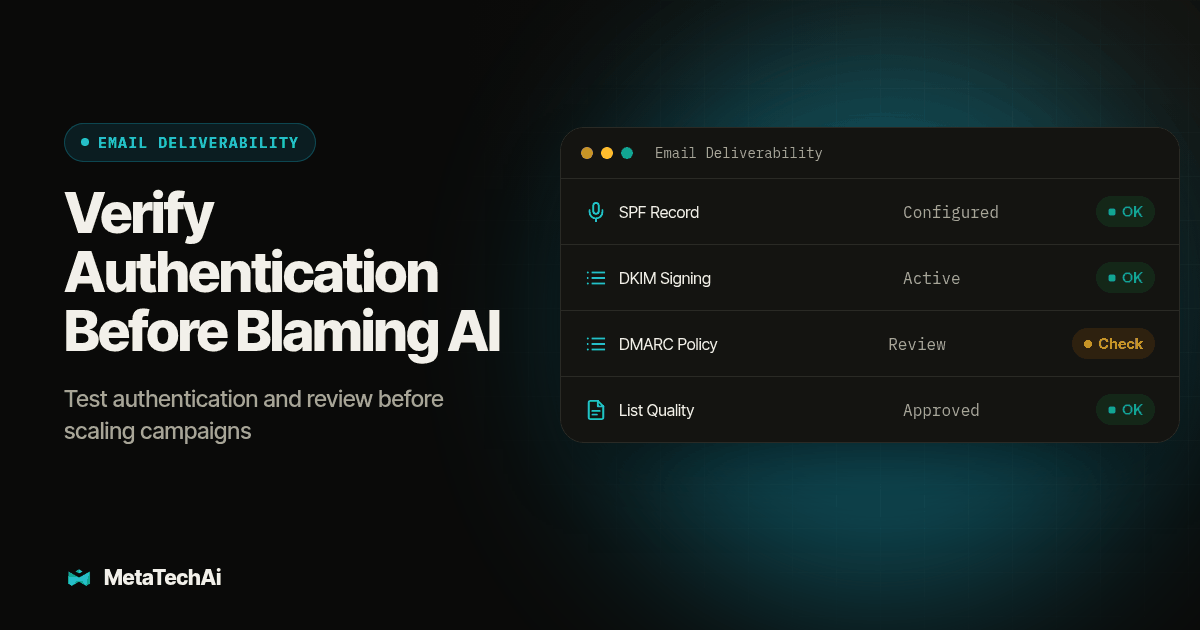
TL;DR: Verify the sending setup, investigate rejected and unwanted messages, review AI drafts before release, and measure results by mailbox provider. Treat inbox placement as something to test, not something a new tool or a fixed warm-up schedule can promise.
Why Do Spam Filters Suddenly Care About AI-Written Outbound?
The useful question is what changed when AI drafting arrived. Did the team add a sender, import a different list, increase daily sends or stop checking drafts? Those are separate changes, and investigating them together makes it difficult to find the cause. Do not assume a spam placement proves that a provider detected AI authorship.
Google's sender guidelines identify authentication, spam complaints, infrastructure and message formatting as delivery considerations. They do not provide a universal ranking of those signals or a rule that AI-written email automatically goes to spam. Content still matters, including accurate sender identity and honest subject lines.
For a service business, start with the campaign change log. Record when drafting changed, who approved the list and which sending connection delivered each batch. Compare those dates with the first known rejection or spam-folder report. This turns a vague complaint about AI into an incident a sales manager and email administrator can investigate together.
What Changed in How Spam Filters Score a Message?
A campaign dashboard cannot tell you exactly how a receiving provider scored a message. Keep delivery acceptance, inbox placement and sales response separate. A server accepting an email does not tell you whether a prospect read it, and a missing reply does not prove spam placement.
Open tracking needs particular care. Apple's Mail Privacy Protection documentation explains that remote content can download in the background regardless of engagement. An apparent open is therefore not reliable proof of a person reading the pitch. Use it as supporting context rather than the primary recovery measure.
Build a weekly view with attempted sends, accepted messages, permanent failures, temporary failures, complaints where available and meaningful replies. Keep the underlying counts beside calculated rates. A small batch with one complaint deserves investigation, but its percentage should not be treated as a stable forecast for the next campaign.
Separate Gmail, Microsoft-hosted and other destinations in that view. If one destination group deteriorates while others remain stable, hand that pattern and the actual error responses to the administrator. Avoid applying a global deliverability benchmark from somebody else's audience to your own service-business pipeline.
Is the AI Writing the Problem, or Is It the Sending Pattern?
Investigate both. Our recommended diagnostic is to compare a reviewed AI draft with a rep-written message while keeping the sender, audience criteria and timing comparable. This is a working test proposal, not a claim that any particular wording will evade filtering. Use approved test recipients before changing a live campaign.
For example, imagine a home-services sales team adds AI drafting and simultaneously imports old inquiries. Replies fall. The writing tool may be getting blamed for a list-quality change. Alternatively, if only one sending integration fails authentication, the connection deserves attention before anyone rewrites every subject line. These are hypothetical examples, not customer results.
Ask a reviewer to look for factual errors, implied prior relationships, irrelevant personalization and unclear calls to action. A technically authenticated message can still be unwanted. The goal is a useful message to an appropriate recipient, not cosmetic variation that disguises an automated campaign.
How Do We Set Up SPF, DKIM and DMARC Correctly?
Have the email administrator inventory every legitimate sender before changing DNS. Include the CRM, marketing platform and ordinary business mail. Keep a record of the current configuration and a rollback plan so a sales campaign repair does not interrupt invoices or customer replies.
SPF authorizes sending infrastructure; DKIM signs messages; DMARC checks alignment with the visible From domain. DMARC can pass through an aligned SPF or DKIM result. Authentication is not an inbox guarantee. See the DMARC specification for the protocol details.
Use this verification order:
- List the sending paths. Write down which tool sends each message type and which domain the recipient sees. Give each path a named owner.
- Review SPF and DKIM with that owner. Follow the sending provider's documented configuration rather than pasting another company's DNS record into yours.
- Inspect a received message. Save its authentication results and identifiers. A record appearing in DNS is not the same evidence as the actual sending path passing checks.
- Review DMARC alignment and reporting. Investigate legitimate senders that fail before tightening policy. Have the administrator choose the enforcement change and rollback conditions.
- Retest every business-critical path. Include sales, invoices and customer support, then attach the evidence to the change record.
For personal Gmail recipients, Google's rules distinguish all senders from bulk senders: all need SPF or DKIM; bulk senders need SPF, DKIM and DMARC, with additional requirements. Check the current sender requirements against your actual traffic rather than assuming a small campaign is exempt from authentication.
What Daily Send Caps Should Each Inbox Follow?
There is no single daily cap in this guide that makes cold outbound safe or guarantees inbox placement. Set an internal ceiling with the email administrator using the provider's limits, audience expectations and observed results. A platform's technical allowance is not a recommended prospecting target.
Replace automatic weekly volume increases with evidence gates. The table below is our proposed operating plan, not a provider-approved warm-up schedule or a promise of recovery on a particular date.
| Stage | Who receives messages | Evidence required before increasing activity |
|---|---|---|
| Configuration test | Authorized test recipients | Actual messages authenticate through each sending path |
| Limited restart | Appropriate contacts expecting the message | No unresolved sending errors; replies and opt-outs route correctly |
| Controlled expansion | A reviewed audience meeting the campaign criteria | List source, complaints and failures reviewed by the owner |
| Ongoing operation | Approved campaign audience | Monitoring continues; increases stop when warning signals appear |
Keep the limit visible in the campaign configuration and document who can change it. Include manual sends and automated follow-ups in the planning conversation. Otherwise a rep can unknowingly add activity on top of a sequence that the administrator thought was the full workload.
A dedicated subdomain may help organize sending streams, but do not promise complete reputation isolation. Google's sender FAQ aggregates subdomains under the primary domain for its bulk-sender classification. Moving traffic is not a substitute for correcting the behavior behind the incident.
How Should We Use AI for Drafting Without Hurting Deliverability?
Let AI produce a first draft, then route the batch through a person who knows the offer and the audience. Make that review an approval step with an owner, not a vague instruction to use good judgment. If the reviewer cannot confirm a personalization claim, remove it.
Use this checklist before releasing an AI-drafted batch:
- Confirm the contact meets the campaign's eligibility and permission rules.
- Check that the subject line describes the actual message without implying a conversation that never happened.
- Verify every factual claim against approved company information.
- Remove unnecessary links and explain the destination of any link that remains.
- Confirm the next action is relevant to the recipient's situation.
- Check the opt-out mechanism and required business identification.
- Log reviewer initials, approval date and the approved version.
For US commercial email, the FTC's CAN-SPAM guide covers accurate headers and subjects, advertisement identification, a valid postal address and a working opt-out method. Opt-outs must be honored within ten business days. These are separate from inbox placement, and applicable provider requirements can be stricter.
Test the suppression workflow as carefully as the message. Use an authorized test contact to opt out, then confirm queued follow-ups stop and another rep cannot accidentally re-enroll the same address. Record the test result in the CRM workflow documentation.
What Should We Measure Every Week to Catch Problems Early?
Give a sales manager and an email administrator a shared report with different responsibilities. The manager reviews audience quality and meaningful responses. The administrator reviews authentication, provider errors and sending behavior. Neither should need to infer the other's work from a single open-rate chart.
- Failures: Separate permanent address failures from temporary deferrals. Keep the response code and affected campaign so the owner can investigate the actual reason.
- Placement tests: Check authorized test inboxes and record where messages arrive. Treat this as a sample, not proof that every prospect sees the same result.
- Meaningful replies: Count interest, objections, wrong-person replies and opt-outs separately. A reply total alone can hide a campaign that frustrates its audience.
- Complaints and suppression: Review available complaint reporting and confirm suppression changes reached every sending workflow.
Choose escalation conditions before increasing activity. For example, your team might stop a batch when a previously passing sending path fails authentication, or when an opt-out still receives a scheduled follow-up. These are proposed operational stop conditions, not universal numeric benchmarks.
Keep campaign versions with the report. If the audience, template and volume all changed together, mark the comparison as inconclusive rather than assigning the result to the AI draft alone.
What Is the Step-by-Step Fix When Emails Are Already Landing in Spam?
Use this original remediation procedure as a joint sales and email-operations test. Save the evidence at each step so the next person can reproduce the diagnosis.
- Pause the affected campaign. Preserve necessary customer communications while the administrator determines scope. Record the first confirmed symptom and affected sending path.
- Collect message evidence. Save a rejected response or an authorized recipient's spam-folder example, including headers. Record provider, timestamp and campaign version.
- Verify authentication. Run the sending-path checks above. Assign each failure to an owner and retest the actual message after a configuration change.
- Review audience eligibility. Suppress invalid addresses, opt-outs and contacts that do not meet your campaign rules. Do not treat a missing tracked open as conclusive evidence that an address is invalid.
- Review the content. Check the AI draft against the human-review checklist. Record what changed and why, keeping approved company facts as the source.
- Restart with a controlled test. Use authorized recipients first, then a limited appropriate audience. Keep sending conditions stable enough to interpret the result.
- Review before expanding. Examine failures, placement samples, replies and complaints together. Leave unresolved issues open instead of declaring success from a passing DNS check.
- Document the cause and prevention. Add the owner, evidence, correction and future stop condition to the campaign record. Decide who approves the next increase.
Bring those records into AI infrastructure planning so sending controls, CRM suppression and human approvals are designed together. MetaTechAi installs AI sales and marketing systems for service businesses with sales teams, with a conversions-up-or-you-do-not-pay guarantee. That business commitment is not a promise that any individual email will reach the inbox.
How Does Email Fit Into the Rest of a Sales Team's Outbound System?
Email deliverability does not sit in isolation from the rest of how a sales team reaches leads. Build channel ownership into the automated sales funnel, and include monitoring and administrative work in the AI sales tools budget. Someone needs time to investigate failures, not just permission to buy another tool.
For contacts who have agreed to text communication, outbound texting through our sister brand Beam can support an existing conversation while email issues are investigated. Texting has its own permissions and delivery rules. Do not turn an email opt-out into an excuse to pursue the same person on another channel.
A clean contact record with accurate preferences belongs in CRM automation work. Make the current owner, approved next action and suppression status visible so one team's recovery effort does not create another team's unwanted follow-up.
What Else Do Sales Teams Ask About Email Deliverability?
Does this problem come from our CRM's built-in email tool, or only from dedicated AI sales engagement platforms?
Either sending path can have problems. Check the actual connection, authentication results, audience and message rather than blaming the drafting interface. A passing test on one CRM sender does not verify every other sending integration.
How long does it take to get back into the inbox once we fix the real problem?
There is no guaranteed recovery window. Confirm the configuration change took effect, then monitor actual sending results. Keep technical repair and reputation recovery separate, and do not promise a return to normal on a fixed date.
Do we need a separate sending domain for cold outbound, or can we use our main company domain?
Have the email administrator decide how to separate sending streams and protect business-critical mail. A subdomain can support organization and reporting, but it does not guarantee complete reputation isolation or erase the need for appropriate recipients and responsible sending.
Does fixing deliverability also cover CAN-SPAM and unsubscribe compliance, or is that a separate requirement?
They are separate checks. Reaching an inbox does not prove compliance, and meeting legal requirements does not guarantee placement. Verify the applicable rules, required message information and opt-out workflow before releasing the campaign.
Will switching to a different AI email tool fix this on its own?
Do not assume it will. First identify whether the failure involves configuration, audience, content or workflow. Compare a replacement against that documented problem and require a controlled test before migrating the whole team's sending process.